
How to Recover Deleted WhatsApp Messages
Find out what you can actually restore, how WhatsApp backups work, and what to do when deleted chats are missing.
🔎 Can You Recover Deleted WhatsApp Messages?
Sometimes. Recovery mainly depends on whether the deleted message was included in a WhatsApp backup created before the message was deleted.
If there is no suitable backup, WhatsApp does not provide a normal server-based method to restore the deleted chat history.
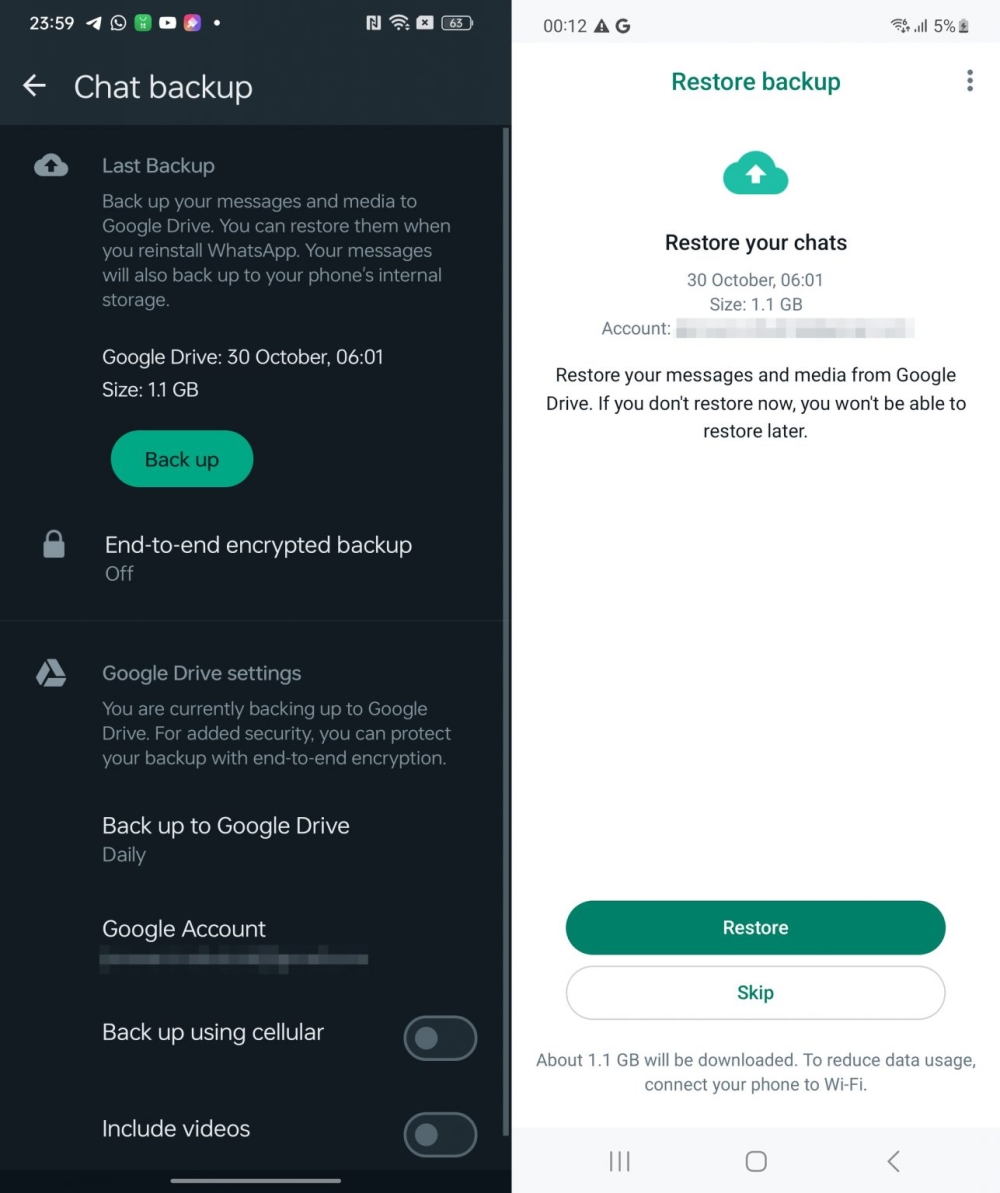
WhatsApp Android backup and restore screens
1. WhatsApp Does Not Have a Normal “Recently Deleted” Folder
WhatsApp does not provide a normal Recently Deleted folder where you can open every deleted message and restore it whenever you want.
When a message or chat has been deleted, the main recovery option is an available backup that contains the missing messages.
2. Check Your WhatsApp Chat Backup
On Android, you can check your WhatsApp backup from the following location:
Check the date and time of the latest successful backup.
If the backup was created before you deleted the message, the message may be present in that backup.
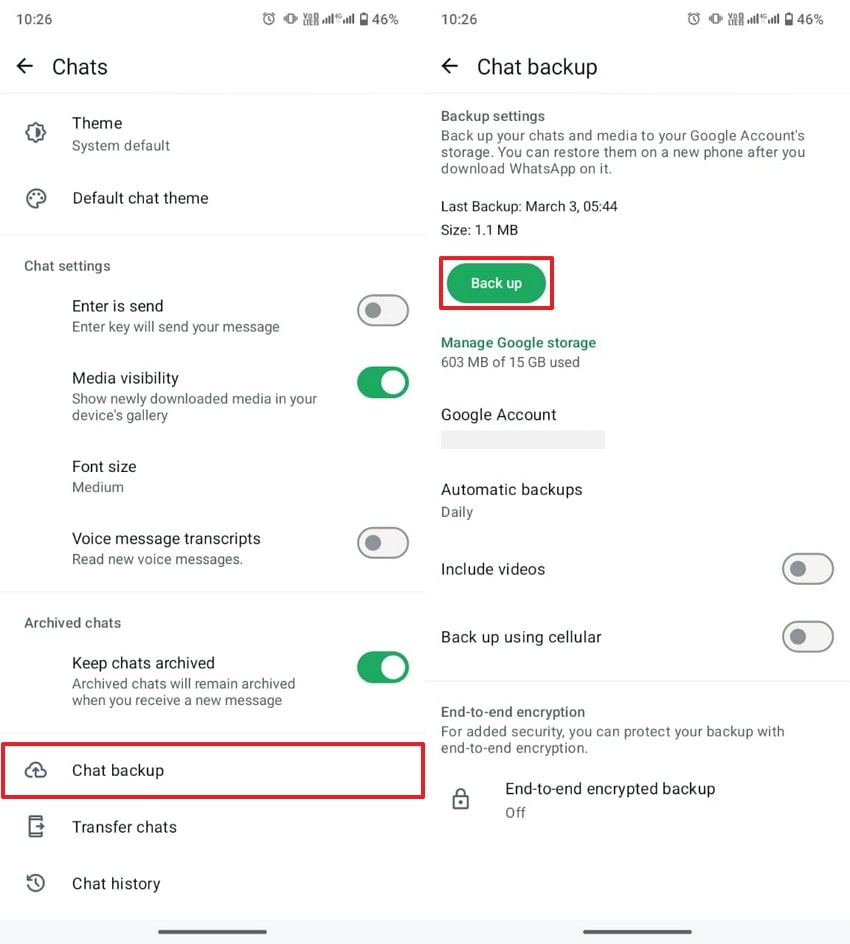
WhatsApp Chats → Chat backup settings on Android
3. How to Restore Deleted WhatsApp Messages on Android
If your available backup contains the missing messages, you can restore the backup during WhatsApp’s setup process.
Make sure you know the Google Account used for your WhatsApp backup.
Use the phone number associated with the WhatsApp backup.
Reinstall WhatsApp and begin the setup process.
When WhatsApp finds your backup, select the restore option.
Wait for your messages and media to finish restoring.
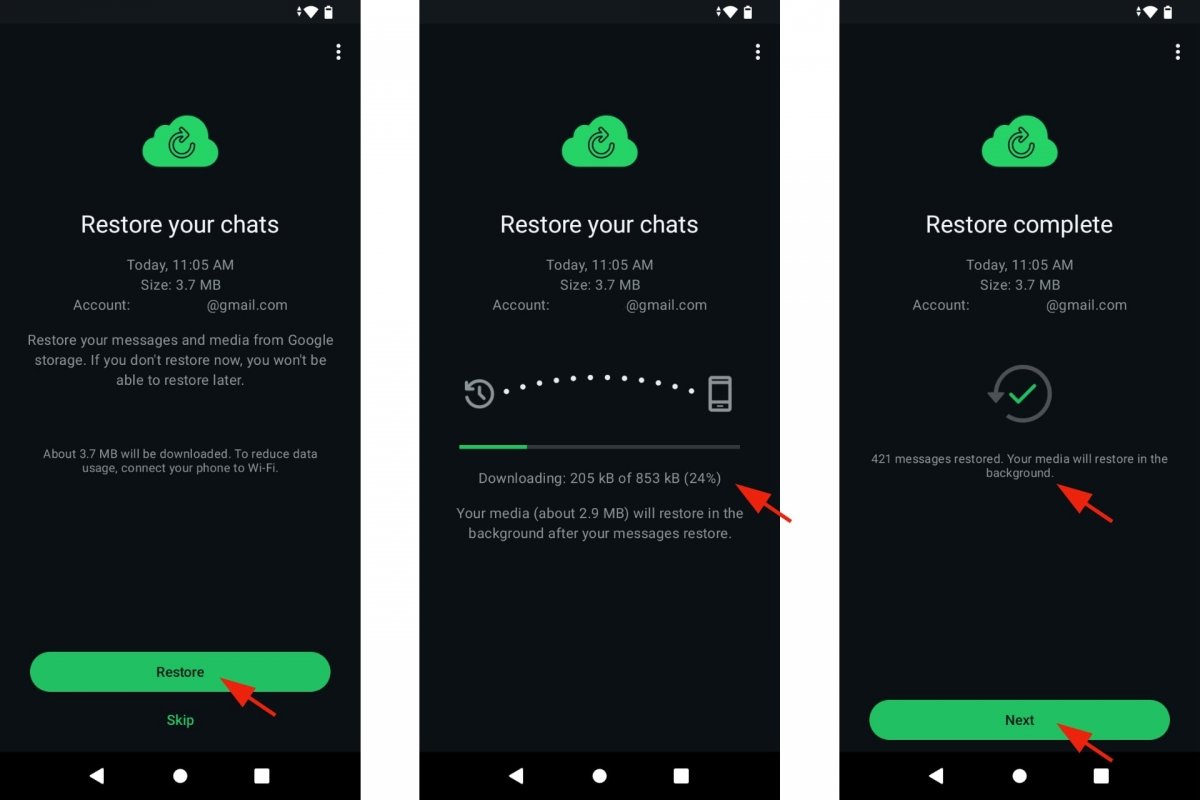
WhatsApp backup restoration process on Android
⚠️ Important Before Restoring a Backup
An older backup may not contain messages that were sent or received after the backup was created.
Before restoring, check the backup date carefully so you understand what chat history may be missing.
4. What If There Is No Backup?
If the deleted message was not included in an available backup, WhatsApp does not provide a normal server-based recovery method.
WhatsApp explains that it cannot restore your chats for you because your chat history is not stored on its servers for this purpose.
No suitable backup = recovery may not be possible.
Be careful with websites or apps that promise guaranteed recovery of permanently deleted WhatsApp messages.
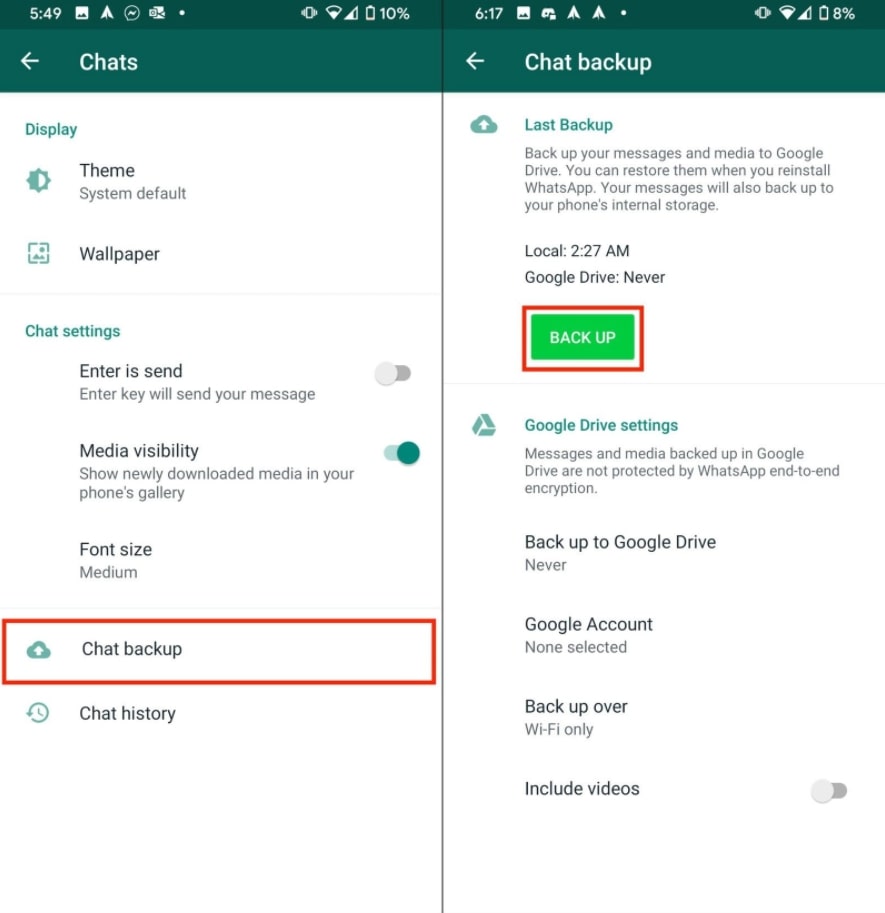
WhatsApp Android Chat backup settings
5. Delete for Me vs Delete for Everyone
WhatsApp has different deletion options, and they should not be confused with restoring a backup.
🗑️ Delete for Me
Removes your copy of the message from your device. It does not remove the message from the other person’s chat.
👥 Delete for Everyone
Removes a sent message from the chat for participants when the deletion option is available and successfully completed.
6. How to Avoid Losing WhatsApp Messages
Regular backups can help protect important WhatsApp chats and media.
Backup and restore options on WhatsApp Android
❓ Frequently Asked Questions
Can I recover WhatsApp messages deleted without a backup?
Generally, no. If the deleted messages were not included in an available backup, WhatsApp does not provide a normal server-based method to restore them.
Where can I check my WhatsApp backup?
On Android, open WhatsApp and go to Settings → Chats → Chat backup.
Can WhatsApp restore my deleted messages from its servers?
WhatsApp says it cannot restore your chat history for you because your chat history is not stored on its servers for this purpose.
Will restoring a backup bring back every deleted message?
Only messages contained in the restored backup can be recovered. Messages created after that backup may not be included.
Can I restore an older Google Account backup?
WhatsApp says that creating a new Google Account backup overwrites the previous backup, so an older Google Account backup normally cannot be restored.
🎯 Final Takeaway
Recovering deleted WhatsApp messages mainly depends on your available backup.
On Android, check:
If the deleted message was included in a successful backup created before the deletion, restoring that backup may recover the message. If there is no suitable backup, recovery may not be possible.
📚 Related WhatsApp Guides
🔒 How to Hide Your Online Status on WhatsApp
→
📱 How to Transfer WhatsApp Chats to a New Phone
→
Source:
WhatsApp Help Center — backup, restore, and chat-history guidance.
WhatsApp Tips
WhatsApp How To
WhatsApp Messages
WhatsApp Backup
WhatsApp Recovery
WhatsApp Chat Restore
WhatsApp Tricks